
Comment créer du contenu Amazon A+ avec l'IA : spécifications, flux de travail et à quoi s'attendre
Amazon A+ Content convertit les navigateurs en acheteurs en remplaçant la description du produit par défaut par une narration visuelle de marque. La génération d'IA peut produire la majorité des actifs de contenu A+ (images de style de vie, tableaux de comparaison, légendes de fonctionnalités) à partir d'une seule référence de produit en quelques heures plutôt qu'en quelques jours.
Clyero Team
Produit et croissance
February 5, 2026
Updated April 4, 2026
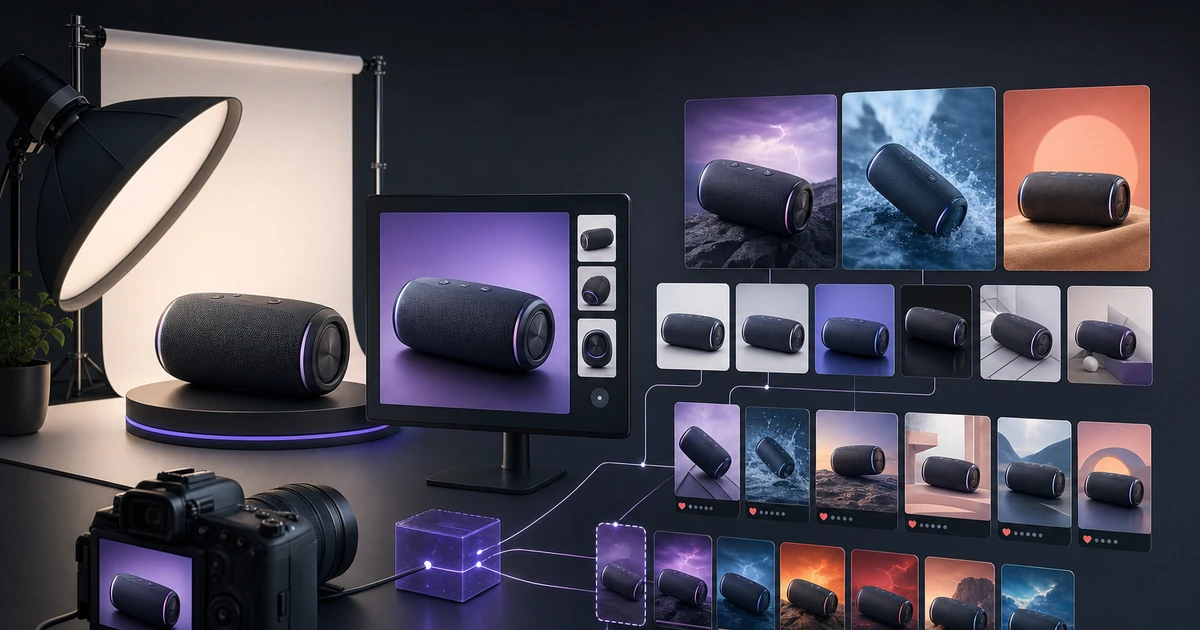
Amazon A+ Content est l'outil de conversion gratuit le plus puissant disponible pour les vendeurs de marque enregistrés sur Amazon. Une page A+ bien conçue répond aux questions d'achat que la liste des images et des puces ne peuvent pas répondre : qualité des matériaux, comparaison avec des alternatives, contexte de style de vie et histoire de la marque. Pourtant, la plupart des marques ne l’utilisent pas du tout ou publient du contenu A+ visuellement faible et stratégiquement générique.
La génération IA comble l’écart de production qui maintenait un bon contenu A+ hors de portée pour la plupart des vendeurs.
Ce que comprend le contenu Amazon A+
A+ Content remplace la description standard du produit par une mise en page personnalisée construite à partir de composants modulaires. Les modules disponibles incluent :
| Type de module | Type de contenu | Utilisation principale |
|---|---|---|
| Image d'en-tête avec texte | Image pleine largeur + texte superposé | Ouverture de l'histoire de la marque |
| Barre latérale image + texte | Image du produit + corps du texte | Explication des fonctionnalités |
| Tableau comparatif | Plusieurs produits/variantes comparés | Aider les acheteurs à choisir |
| Grille d'images à quatre quadrants | Disposition des images 2 × 2 | Vitrine des fonctionnalités visuelles |
| Image vedette avec texte | Image + puces | Informations sur les avantages clés |
| Logo et description | Logo de la marque + court paragraphe | Confiance et crédibilité |
Une page A+ complète utilise généralement 5 à 7 modules et couvre : l'histoire de la marque, les fonctionnalités clés (3 à 5), le contexte du style de vie du produit, la comparaison (en cas de variantes multiples ou de produits associés) et un signal de confiance final.
Ce que produit AI Generation pour le contenu A+
Images de style de vie et de contexte
Le module A+ le plus percutant est l'en-tête lifestyle pleine largeur : il donne le ton visuel à l'ensemble de la page et communique immédiatement le positionnement de la marque. La génération IA produit ces images à partir d'une référence de produit : le produit placé dans l'environnement de style de vie approprié, au rapport hauteur/largeur et à la résolution corrects, avec l'espace de marge nécessaire à la superposition de texte.
Images d'accroche de fonctionnalités
Les modules qui combinent la photographie de produits avec des légendes de fonctionnalités nécessitent des images spécialement composées à cet effet : des recadrages serrés, un contraste fort, des arrière-plans nets qui permettent au texte superposé de rester lisible. La génération IA peut produire des images composées spécifiquement pour la superposition de texte, avec un espace négatif délibéré dans le tiers supérieur ou inférieur.
Visualisation de comparaison
Pour les produits disponibles en plusieurs finitions, tailles ou variantes, un module de comparaison visuelle montrant toutes les options côte à côte est très efficace. La génération IA produit des images variantes d’apparence cohérente pour les mises en page de comparaison sans nécessiter de photographie séparée de chaque option.
Gros plans sur les matériaux et les textures
La photographie en gros plan montrant le tissage du tissu, le grain du bois ou la texture de la surface est coûteuse à réaliser et nécessite une macrophotographie spécialisée. La génération d’IA peut produire des gros plans de texture convaincants à partir d’une image de référence de produit standard.
Workflow : de la photo du produit à la page A+ publiée
Étape 1 : Cartographiez vos modules A+
Avant de générer des ressources, esquissez les 5 à 7 modules que vous utiliserez et définissez ce que chacun communique. Ce brief détermine les paramètres de génération.
Étape 2 : Générer des ressources spécifiques au module
Pour chaque module, générez des images avec les dimensions et les exigences de composition correctes. Les images d'en-tête nécessitent un cadrage horizontal avec un espace de texte. Les images de présentation nécessitent un cadrage vertical pour la disposition de la barre latérale.
Étape 3 : Générer une copie par module
Chaque module a une capacité de texte de 200 à 700 caractères. Rédigez un texte ciblé et axé sur les avantages pour chacun : non pas les spécifications du produit, mais les résultats pertinents pour l'acheteur. La génération de copies IA fonctionne bien ici avec un brief clair.
Étape 4 : Assemblez dans Seller Central
Créez les modules dans le générateur de contenu A+ d'Amazon, téléchargez les ressources générées et prévisualisez la page terminée sur les vues de bureau et mobiles. L'aperçu mobile est essentiel : le contenu A+ s'affiche différemment sur mobile et de nombreuses présentations de modules sont compressées d'une manière qui n'est pas visible sur ordinateur.
Étape 5 : Soumettre pour examen
Amazon examine le contenu A+ avant de le publier. L'examen prend généralement 7 à 14 jours. Les refus concernent généralement des violations de texte (prix, langue des avis, mentions des concurrents) plutôt que des problèmes d'image.
Erreurs courantes de contenu A+
Trop de texte par module. Le contenu A+ est un support visuel. Chaque module doit communiquer clairement une chose. Si vous écrivez des paragraphes par module, vous utilisez A+ comme une description textuelle plutôt que comme une narration visuelle.
Images de style de vie génériques. Les images de style de vie A+ qui pourraient provenir d'une bibliothèque d'archives ne construisent pas l'identité de la marque. Générez des images spécifiques à votre catégorie de produits et cohérentes avec le langage visuel de votre marque.
Aucun examen mobile avant la soumission. Le générateur A+ d'Amazon prévisualise le bureau par défaut. De nombreuses conceptions qui semblent nettes sur un ordinateur de bureau comportent des produits ou des colonnes qui se chevauchent de manière maladroite sur un mobile. Vérifiez toujours le mobile avant de soumettre.
Ignorer le module de comparaison. Pour les produits avec des variantes ou des accessoires, un module de tableau de comparaison réduit systématiquement la paralysie décisionnelle et augmente la conversion. Il s’agit de l’un des modules au retour sur investissement le plus élevé disponible.
Related Clyero workflows
Continue with practical workflows for product visuals, video, ad creative, and marketplace content.
Frequently Asked Questions
Quelles dimensions d'image le contenu Amazon A+ nécessite-t-il ?
Qui est éligible au contenu Amazon A+ ?
Le contenu Amazon A+ améliore-t-il les ventes ?
Puis-je utiliser des images générées par l'IA dans le contenu Amazon A+ ?
Try it free
Build your first AI content pipeline
Turn one product photo into a full content system — images, videos, captions, and posts — in minutes.
Start for freeClyero Team
Produit et croissance
Writing about AI content creation, e-commerce automation, and the future of brand storytelling at Clyero.
Related Articles
Amazon Listing Image Optimization: What Converts and How AI Generates It
Les images de listes Amazon sont le principal mécanisme de conversion sur la plate-forme : elles déterminent le taux de clics de la recherche, la confiance d'achat sur la liste et le taux de retour après livraison. AI generation can produce images optimized for Amazon conversion, but only when built around what Amazon shoppers actually respond to.
March 22, 2026
Amazon Listing Image Optimization: What Converts and How AI Generates It
Les images de listes Amazon sont le principal mécanisme de conversion sur la plate-forme : elles déterminent le taux de clics de la recherche, la confiance d'achat sur la liste et le taux de retour après livraison. AI generation can produce images optimized for Amazon conversion, but only when built around what Amazon shoppers actually respond to.
March 22, 2026