
Imágenes de listados generadas por IA para vendedores de Etsy: flujo de trabajo y mejores prácticas
Los compradores de Etsy toman decisiones de compra en menos de tres segundos basándose en las miniaturas de los anuncios. Las imágenes de anuncios generadas por IA pueden igualar la calidad de la fotografía profesional de productos; con el flujo de trabajo adecuado, también pueden adaptarse a la estética artesanal que esperan los compradores de Etsy.
Clyero Team
Producto y crecimiento
November 5, 2025
Updated April 4, 2026
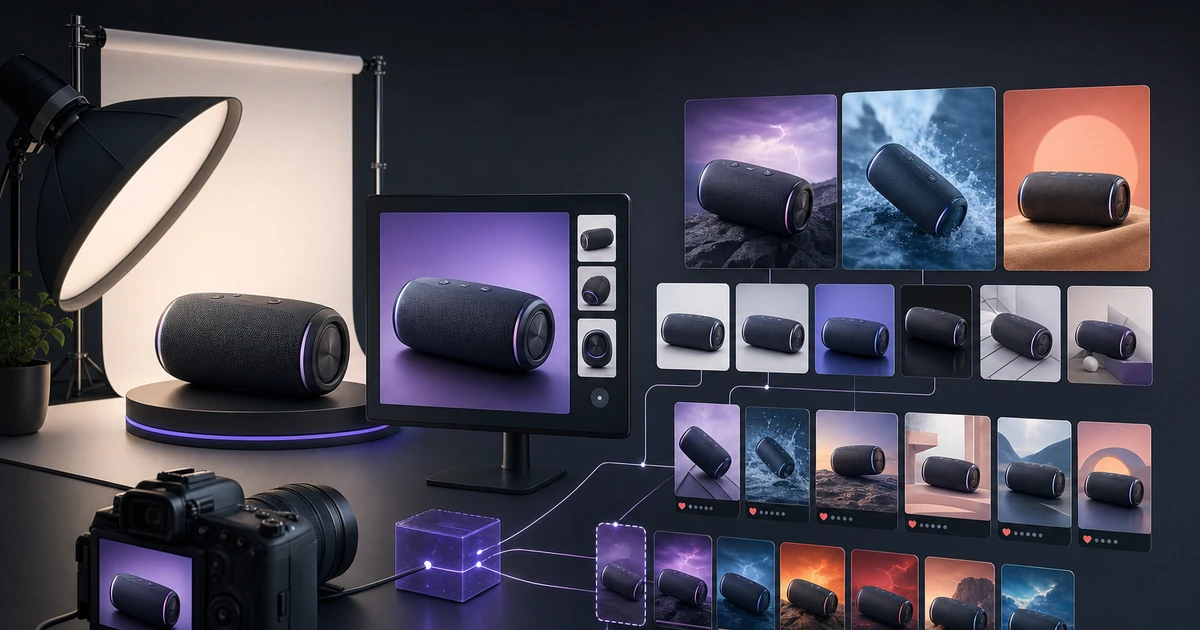
Las imágenes de listados de Etsy cumplen dos funciones distintas: deben obtener el clic en los resultados de búsqueda y deben cerrar la venta en la página del listado. La generación de IA ofrece a los vendedores la capacidad de producir imágenes profesionales y distintivas para ambas funciones, sin depender de fotógrafos costosos ni de plantillas de maquetas limitadas.
Por qué la estrategia de imágenes de Etsy difiere de Amazon y Shopify
Los compradores de Etsy tienen expectativas visuales diferentes a las de los compradores de Amazon o Shopify. Esperan:
Estética orgánica: Texturas naturales, iluminación cálida, superficies imperfectas, materiales reales. Una fotografía clínica de un producto con fondo blanco a menudo tiene un rendimiento inferior en Etsy porque indica que se ha producido en masa en lugar de ser artesanal.
Contexto y uso: los compradores de Etsy quieren ver dónde se encuentra el producto: en un estante, en un escritorio, en la casa de alguien. Las imágenes contextuales de estilos de vida superan a las fotografías aisladas de productos en la búsqueda de Etsy.
Variedad dentro de un anuncio: Etsy te ofrece hasta 10 imágenes por anuncio. Los compradores se desplazan por todos ellos. Cada imagen debe responder a una pregunta de compra diferente: ¿Cómo se ve? ¿Cómo se ve el detalle? ¿Qué talla es? ¿Cómo se ve en un espacio?
La generación de IA puede producir todo esto dentro de un solo proceso, diseñado de manera consistente para que coincida con la estética cálida y orgánica a la que responden los compradores de Etsy.
Las siete imágenes que todo anuncio de Etsy debería tener
| Ranura de imagen | Propósito | Estilo recomendado |
|---|---|---|
| 1 (miniatura) | Buscar clic | Estilo de vida limpio, fondo cálido |
| 2 | Ángulo alternativo | Perspectiva ligeramente diferente |
| 3 | Detalle/textura | Primer plano de material o característica clave |
| 4 | Referencia de escala | Producto en mano o junto a un objeto familiar |
| 5 | Contexto en uso | Producto en un entorno real |
| 6 | Variantes/opciones | Variantes de color/tamaño una al lado de la otra |
| 7 | Embalaje (si procede) | Muestra lo que recibe el comprador |
| 8–10 | Contexto adicional | Temporada, contexto de regalo, productos relacionados |
Mantener la estética artesanal con la generación de IA
La mayor preocupación que tienen los vendedores de Etsy acerca de las imágenes generadas por IA es que parezcan genéricas. Este es un riesgo real: la configuración de generación predeterminada a menudo produce imágenes demasiado pulidas y de aspecto comercial que no son adecuadas para Etsy.
La solución está en tus parámetros de generación:
Textura de fondo: especifique superficies orgánicas (lino, madera desgastada, mármol, hormigón, papel envejecido) en lugar de fondos blancos o degradados. Estos son naturales en la generación de IA y coinciden con la cultura visual de Etsy.
Dirección de la iluminación: La iluminación lateral cálida (que simula la luz de una ventana) parece hecha a mano. La iluminación cenital directa parece comercial. Esta es una instrucción rápida y sencilla.
Temperatura de color: cambia las salidas ligeramente cálidas (equivalente a 2700–3500 K) en lugar de neutras o frías. Los tonos cálidos parecen artesanales; Los tonos fríos se sienten industriales.
Encuadre: Deja alguna imperfección en la escena. Una composición ligeramente desplazada, un pequeño accesorio al lado del producto o una veta visible en la superficie crean una autenticidad de la que carecen las tomas de estudio sobrecargadas.
Flujo de trabajo de maqueta para productos digitales y de impresión bajo demanda
Para los vendedores de impresión bajo demanda (ropa, tazas, impresiones, bolsos de mano) y vendedores de productos digitales, la generación de estilos de maquetas es más relevante que la fotografía de productos.
La generación de IA puede producir:
- Maquetas de fondo personalizadas para su tipo de producto específico
- Maquetas de estilo de vida que muestran su diseño en el producto en contexto.
- Composiciones planas para productos artísticos y de patrones imprimibles.
- Maquetas de marcos/exhibidores para impresiones fotográficas y de arte digital.
La ventaja sobre los servicios de plantillas de maquetas es la flexibilidad: puede generar cualquier entorno, cualquier superficie y cualquier fondo sin estar limitado a una biblioteca de plantillas.
Optimización de miniaturas para la búsqueda de Etsy
La miniatura de su anuncio es un cartel en una página de resultados de búsqueda que muestra más de 48 productos de la competencia simultáneamente. Necesita ganar el concurso visual de 250×200 píxeles.
Las miniaturas de Etsy de alto rendimiento comparten propiedades comunes:
- Sujeto claro con fuerte contraste contra el fondo.
- Paleta de colores cálidos y acogedores
- Producto focal único, no abarrotado de accesorios.
- Si es estilo de vida: una historia visual fuerte, no múltiples elementos compitiendo.
Genere tres variantes de miniaturas por anuncio. Pruebe los tres girando la imagen que utiliza como primera ranura. Etsy no tiene pruebas A/B nativas, pero puedes rotar imágenes manualmente y realizar un seguimiento de la tasa de conversión en las estadísticas de tu tienda.
Configuración práctica de generación de imágenes estilo Etsy
Cuando se utiliza Clyero para generar imágenes de listados de Etsy, estos parámetros producen constantemente resultados de marca:
- Entorno: superficies naturales (madera, lino, baldosas cerámicas)
- Iluminación: suave luz natural de la ventana desde un lado
- Composición: producto centrado con 20-30% de espacio negativo
- Paleta de colores: neutros cálidos, tonos tierra naturales
- Postprocesamiento: ligero aumento de calidez, viñeta sutil
Una sola ejecución que produce entre 7 y 10 imágenes de listado para un producto normalmente demora menos de 15 minutos.
Related Clyero workflows
Continue with practical workflows for product visuals, video, ad creative, and marketplace content.
Frequently Asked Questions
¿Etsy permite imágenes de anuncios generadas por IA?
¿Cuáles son las especificaciones de imágenes de Etsy?
¿Qué estilo de imagen funciona mejor en Etsy?
Try it free
Build your first AI content pipeline
Turn one product photo into a full content system — images, videos, captions, and posts — in minutes.
Start for freeClyero Team
Producto y crecimiento
Writing about AI content creation, e-commerce automation, and the future of brand storytelling at Clyero.