
From Product Image to Complete Marketing Kit: The Automated Workflow
A marketing kit is the complete set of creative assets needed to launch a product across all channels simultaneously — images, videos, captions, ad creatives, email banners, and social posts. AI pipelines can generate an entire marketing kit from one product image in under an hour.
Clyero Team
Product & Growth
January 22, 2026
Updated April 4, 2026
A product without a marketing kit launches without leverage. Most ecommerce teams produce a partial set of creative assets — some good listing images, maybe a social post, perhaps an email — and spend the rest of the launch scrambling to fill gaps. The result is delayed channel activation, inconsistent creative, and missed launch-window performance.
A full marketing kit assembled before launch means every channel goes live simultaneously on day one.
What a Complete Marketing Kit Contains
A production-ready marketing kit for one ecommerce product covers:
Listing and catalogue assets:
- White-background main image (1×, high-resolution)
- Secondary product angles (3–5×)
- Lifestyle context image (2–3×)
- Detail/texture closeup (1–2×)
Social media assets:
- Instagram feed (1:1 and 4:5 formats, 2 creative variants)
- Instagram Stories (9:16)
- Pinterest (2:3 vertical)
- LinkedIn (1.91:1)
- TikTok/Reels (9:16 video, 15–30 seconds)
Advertising assets:
- Facebook/Instagram feed ad (1:1 and 4:5)
- Google Display Network (300×250, 728×90, 160×600)
- Email header (600×300 or 600×200)
Copy assets:
- Product title (SEO-optimized)
- Product description (3–5 paragraphs)
- Bullet points (5×, feature-benefit format)
- Social captions per platform (4–5×, platform-specific tone)
- Email subject line and preview text
Total: 25–40 creative assets + 15–20 copy pieces per product.
The Pipeline Architecture
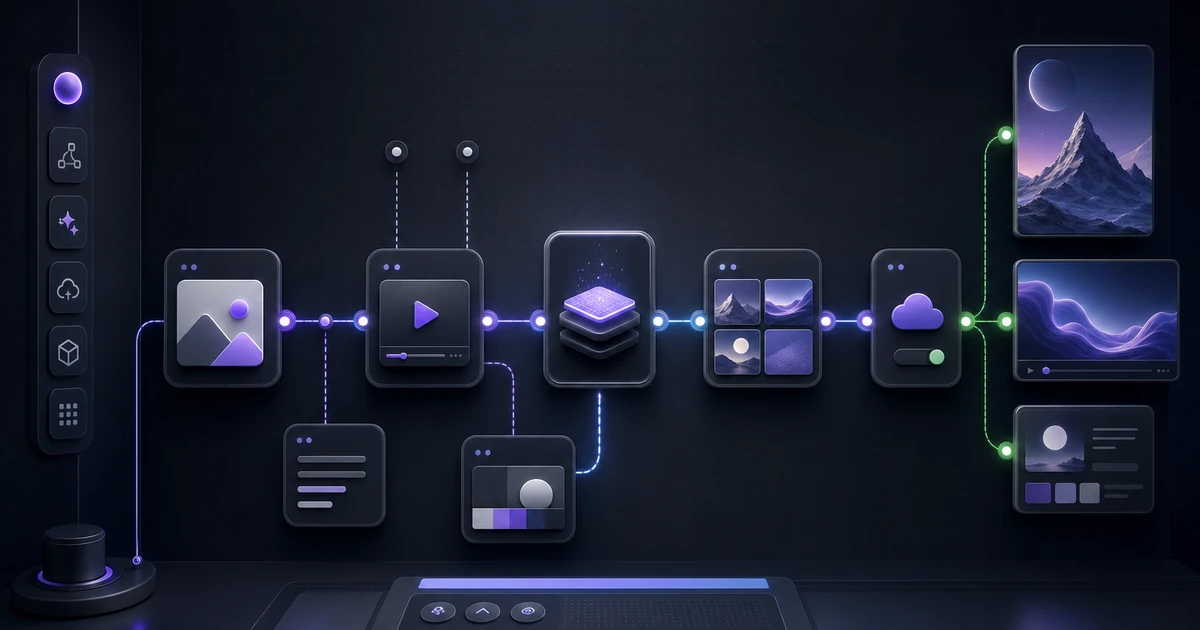
A marketing kit pipeline is not a single generation job — it is a directed graph of connected operations, where earlier outputs feed into later ones.
The architecture:
- Input node: Product reference image and product brief (name, category, key features, target use)
- Image generation branch: White background variants → lifestyle variants → detail crops
- Video generation branch: Image-to-video from best lifestyle image → format variants
- Copy generation branch: Product brief → LLM generates title, description, bullets, captions
- Format node: Resizes and crops all visual outputs to per-channel specs
- Export node: Packages everything into a structured folder or uploads to connected channels
Branches 2, 3, and 4 run simultaneously after the input node. Total wall-clock time is determined by the slowest branch (usually video generation, 5–15 minutes).
Connecting Copy and Visual Coherently
The most common failure in automated marketing kit generation is a disconnect between the visual assets and the copy. The image shows a premium lifestyle product; the caption reads like a spec sheet. Or the copy is warm and personal; the images are cold and clinical.
Prevent this by using the same brief as the input for both visual and copy generation. The product brief should specify:
- Visual tone: (premium/accessible, aspirational/practical)
- Target customer: (who this is for)
- Key benefit: (what it does or solves)
- Brand voice: (formal/casual, technical/simple)
When visual and copy generation share this context, outputs are tonally aligned without manual intervention.
Kit Assembly and Review
Once generation completes, review the full kit as a set rather than reviewing individual pieces. Lay out all assets in a folder or review board and ask:
- Does this look like one cohesive product launch, or like it was assembled from different sources?
- Does the copy reflect what the images show?
- Are all format crops clean (important content not cut off, text readable at small size)?
- Is the brand kit (colors, style, voice) consistent across all outputs?
Typical review time for a full kit is 15–20 minutes. Regenerate any outliers before approval.
Launch Checklist
With a complete marketing kit ready:
| Channel | Asset | Timing |
|---|---|---|
| Website / Shopify | Listing images + description | Day 1 |
| Amazon | Main image + A+ content images | Day 1 |
| Header image + product copy | Day 1 (launch email) | |
| Feed post + Stories | Day 1–2 | |
| Pin with description | Day 1 | |
| Facebook ads | Ad creatives + copy | Day 1 (launch campaign) |
| TikTok/Reels | Video + caption | Day 2–3 |
A kit-first launch workflow means everything is ready before the launch date, not assembled reactively after.
Related Clyero workflows
Continue with practical workflows for product visuals, video, ad creative, and marketplace content.
Frequently Asked Questions
What does a complete product marketing kit include?
How long does it take to generate a full marketing kit with AI?
Try it free
Build your first AI content pipeline
Turn one product photo into a full content system — images, videos, captions, and posts — in minutes.
Start for freeClyero Team
Product & Growth
Writing about AI content creation, e-commerce automation, and the future of brand storytelling at Clyero.
Related Articles
Seasonal Campaign Automation for Ecommerce: From Black Friday to Valentine's Day
Seasonal campaigns require the same product photographed in different contexts, tones, and formats — four to eight times per year. AI generation automates seasonal creative production, letting ecommerce brands run fully-executed seasonal campaigns without repeated photoshoots.
March 15, 2026
Seasonal Campaign Automation for Ecommerce: From Black Friday to Valentine's Day
Seasonal campaigns require the same product photographed in different contexts, tones, and formats — four to eight times per year. AI generation automates seasonal creative production, letting ecommerce brands run fully-executed seasonal campaigns without repeated photoshoots.
March 15, 2026