
So verwandeln Sie ein Produktfoto in weniger als 30 Minuten in eine Videoanzeige
Videoanzeigen übertreffen statische Bilder bei der Klick- und Konversionsrate auf Facebook, Instagram und TikTok durchweg. Sie benötigen kein Videoproduktionsteam, um sie zu produzieren – ein einziges Produktfoto reicht aus, um mithilfe von KI eine überzeugende Videoanzeige zu erstellen.
Clyero Team
Produkt & Wachstum
November 18, 2025
Updated April 4, 2026
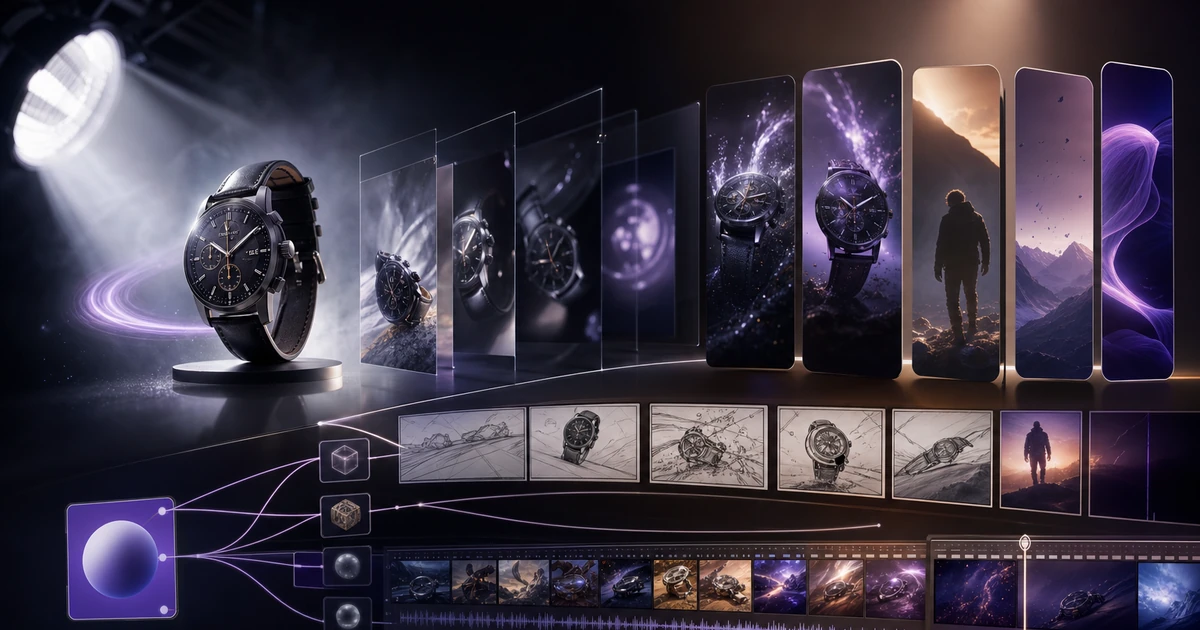
Ein Produktfoto ist kein Video – aber es ist die wichtigste Zutat bei der Erstellung eines solchen. KI-Bild-zu-Video-Modelle können aus einem einzelnen Produktbild reibungslose Videoanzeigen in professioneller Qualität generieren, die in bezahlten sozialen Umgebungen funktionieren. Der Workflow vom statischen Bild bis zur veröffentlichten Anzeige kann in weniger als 30 Minuten abgeschlossen werden.
Warum Video in bezahlten sozialen Netzwerken besser abschneidet als Static
Videoanzeigen liefern auf allen wichtigen Plattformen höhere Interaktionskennzahlen, da sie mehr Aufmerksamkeit erfordern als statische Bilder. Der Algorithmus priorisiert Inhalte mit hoher Wiedergabezeit und selbst eine dreisekündige Pause bei einem Video zählt als Engagement-Signal.
Noch praktischer: Eine gut umgesetzte Videoanzeige kommuniziert Produktvorteile, die in einem einzelnen Bild nicht vermittelt werden können – Texturbewegung, Produktgröße, Ansicht aus mehreren Blickwinkeln und Anwendungsfallkontext. Dies sind genau die Elemente, die einen Browser zum Käufer machen.
Die historische Barriere waren die Kosten. Für ein 30-sekündiges Produktvideo waren ein Videofilmer, ein Studio, Schnitt und Bewegungsgrafiken erforderlich – mindestens 500 bis 3.000 US-Dollar. KI-Bild-zu-Video beseitigt diese Barriere vollständig.
Was KI-Bild-zu-Video tatsächlich leistet
Moderne KI-Modelle zur Videoerzeugung (einschließlich Kling, Minimax Hailuo und Veo) nehmen ein Standbild auf und animieren es mithilfe erlernter Kenntnisse über Physik, Licht und Bewegung. Speziell für die Produktfotografie umfassen die Ergebnisse:
- Orbitale Kamerabewegung: Die Kamera rotiert langsam um das stationäre Produkt
- Zoom and Reveal: Ein langsames Push-In, das den Fokus auf das Produkt aufbaut
- Umweltbewegung: Hintergrundelemente (überdrapter Stoff, Wasseroberfläche, leichtes Bokeh) werden animiert, während das Produkt scharf bleibt
- Schwimmendes Produkt: Das Produkt schwebt in einem sauberen weißen oder abgestuften Raum mit natürlicher, physikbasierter Mikrobewegung
Diese Bewegungsstile funktionieren, weil sie das Produkt ohne Ablenkung hervorheben und eine saubere Schleife bilden – wichtig für Feed-Anzeigen mit automatischer Wiedergabe.
Der 30-Minuten-Workflow
Minuten 1–5: Wählen Sie Ihr Quellbild aus und bereiten Sie es vor
Wählen Sie ein Produktfoto mit sauberer Hintergrundtrennung, guter Beleuchtung und einem klaren Hauptmotiv. Das KI-Videomodell behält, was es sieht – verschwommene, unübersichtliche oder schlecht belichtete Eingaben führen zu Videoausgaben mit geringerer Qualität.
Wenn Ihr Quellbild bereinigt werden muss (Hintergrundentfernung, Farbkorrektur), tun Sie dies, bevor Sie es an den Videogenerator senden.
Minuten 6–15: Erstellen Sie das Basisvideo
Wählen Sie in Clyero Ihr Produktbild als Eingabeknoten aus und verbinden Sie es mit einem Videogenerierungsknoten. Wählen Sie Ihren Bewegungsstil und die Videodauer (15 Sekunden reichen für die meisten Platzierungen). Stellen Sie das Seitenverhältnis so ein, dass es zu Ihrer primären Anzeigenplatzierung passt – 9:16 für Stories und Reels, 4:5 für den Feed.
Führen Sie die Generierung aus. Aktuelle KI-Videomodelle benötigen je nach Dauer und Modell 2–8 Minuten pro Clip.
Minuten 16–20: Überprüfen und auswählen
Überprüfen Sie die Ausgabe. Überprüfen Sie die Bewegungsqualität und den Loop-Punkt auf visuelle Artefakte (Unschärfe an Produktkanten, unnatürliche Verzerrung). Wenn die Produktgeometrie genau eingehalten wird und die Bewegung reibungslos verläuft, ist es für den Produktionseinsatz bereit. Wenn nicht, passen Sie die Eingabeparameter an und führen Sie eine Neugenerierung durch.
Minuten 21–28: Texteinblendung und Ton hinzufügen
Importieren Sie den Videoclip in einen einfachen Editor (CapCut, Adobe Express oder direkt im Meta Ads Manager für einfache Overlays). Hinzufügen:
- Überschriftentext: 3–5 Wörter, hoher Kontrast, erscheint in den ersten 3 Sekunden
- Produktname oder CTA: erscheint bei der 10–15-Sekunden-Marke
- Hintergrundmusik: 15–30 Sekunden langer lizenzfreier Titel, abgestimmt auf den Produktton
Halten Sie den Text minimal. Das Video selbst sollte kommunizieren; Der Text sollte dies bestätigen.
Minuten 29–30: Exportieren und hochladen
Exportieren Sie mit 1080×1920 (9:16) für Stories/Reels und 1080×1350 (4:5) für Feeds. Laden Sie beide in Ihr Anzeigenkonto hoch und duplizieren Sie den Anzeigensatz für jede Platzierung.
Leistungstipps für KI-Produktvideoanzeigen
Beginnen Sie mit Bewegung im ersten Bild. Die automatische Wiedergabe beginnt sofort – wenn Ihr Video mit einer statischen Pause beginnt, konkurriert es visuell mit statischen Bildanzeigen und verliert den Aufmerksamkeitsvorteil.
Testen Sie Orbital vs. Vergrößern. Orbitalbewegung eignet sich gut für Schmuck, Schönheit und Gebrauchsgüter. Das Vergrößern zeigt, dass es bei verpackten Waren und Bekleidungsdetails besser funktioniert. Führen Sie beide aus und überprüfen Sie die 3-Sekunden-Anzeigeraten.
Generieren Sie gleichzeitig 3:2 und 9:16. Ein Pipeline-Durchlauf zur Erzeugung beider Seitenverhältnisse spart Zeit und stellt sicher, dass Sie für jede Platzierung über native Formate verfügen.
Passen Sie die Bewegungsgeschwindigkeit an die Produktpositionierung an. Premium-Produkte erzielen mit langsamen, bewussten Bewegungen eine bessere Leistung. Hochenergetische Konsumgüter profitieren von schnelleren Bewegungen und dynamischeren Übergängen.
Ausgabevolumen eines einzelnen Produktbildes
Ein 30-minütiger Pipeline-Lauf für ein einzelnes Produktbild kann Folgendes bewirken:
- 1 × 15 Sekunden langes 9:16-Vertikalvideo (Stories/Reels)
- 1 × 15 Sekunden langes 4:5-Vertikalvideo (Feed)
- 1 × 15-sekündiges quadratisches 1:1-Video (Feed-Variante)
- 2–3 Bewegungsstilvarianten für A/B-Tests
Das sind 3–4 produktionsbereite Videoanzeigen-Assets aus einem einzigen Standbild, die gleichzeitig auf Facebook, Instagram, TikTok und Pinterest geschaltet werden können.
Related Clyero workflows
Continue with practical workflows for product visuals, video, ad creative, and marketplace content.
Frequently Asked Questions
Wie lang sollten KI-generierte Produktvideoanzeigen sein?
Sehen KI-generierte Produktvideos realistisch genug für Werbung aus?
Welches Dateiformat benötigt Facebook für Videoanzeigen?
Try it free
Build your first AI content pipeline
Turn one product photo into a full content system — images, videos, captions, and posts — in minutes.
Start for freeClyero Team
Produkt & Wachstum
Writing about AI content creation, e-commerce automation, and the future of brand storytelling at Clyero.
Related Articles
KI-Videogenerierung für Möbelmarken: Lösung des Skalenproblems
Möbelmarken stehen vor einem besonderen Problem bei der Produktion von Inhalten: Ihre Produkte sind groß, schwer im Kontext zu fotografieren und erfordern Lifestyle-Umgebungen, die gleichzeitig Größe, Material und Atmosphäre vermitteln. Die KI-Videogenerierung bewältigt alle drei Herausforderungen in einem Arbeitsablauf, den die herkömmliche Produktion preislich nicht mithalten kann.
January 15, 2026
KI-Videogenerierung für Möbelmarken: Lösung des Skalenproblems
Möbelmarken stehen vor einem besonderen Problem bei der Produktion von Inhalten: Ihre Produkte sind groß, schwer im Kontext zu fotografieren und erfordern Lifestyle-Umgebungen, die gleichzeitig Größe, Material und Atmosphäre vermitteln. Die KI-Videogenerierung bewältigt alle drei Herausforderungen in einem Arbeitsablauf, den die herkömmliche Produktion preislich nicht mithalten kann.
January 15, 2026