
AI Lifestyle Product Photography: How to Place Products in Real-World Scenes
Lifestyle product photography — showing your product in realistic, aspirational use contexts — drives higher conversion than isolated product shots on nearly every platform. AI generation can produce convincing lifestyle imagery without location scouting, props, or professional photographers.
Clyero Team
Product & Growth
February 14, 2026
Updated April 4, 2026
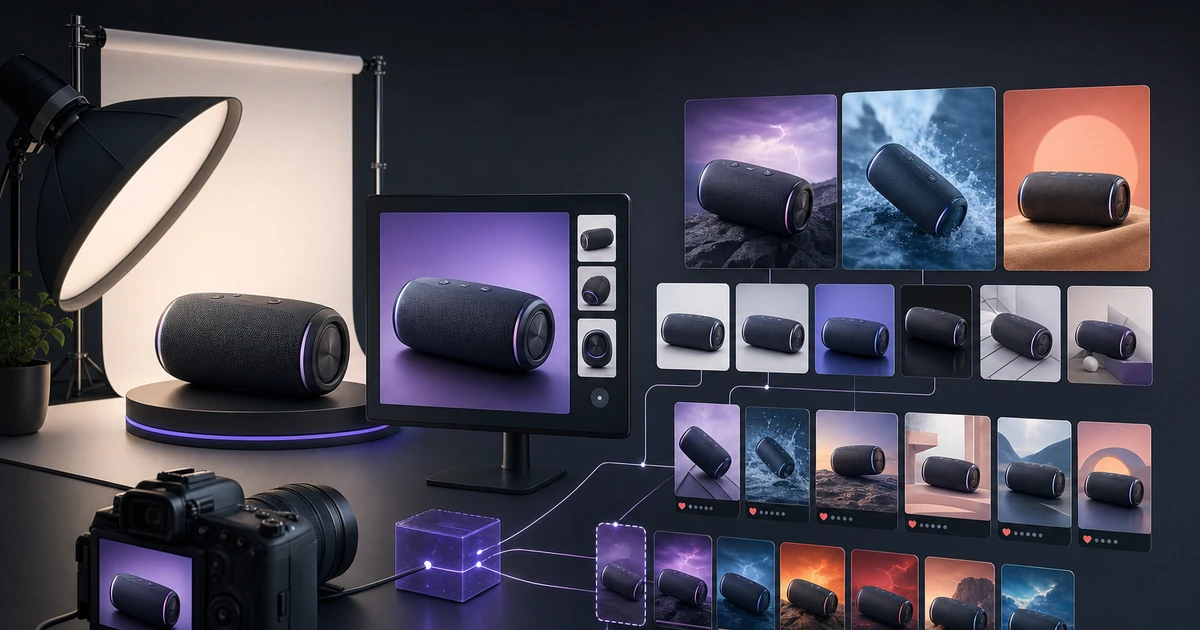
Lifestyle product photography communicates what product isolation images cannot: where the product belongs in someone's life. A candle on a white background shows the shape and color. The same candle on a warm wooden table beside a book and coffee cup communicates warmth, calm, and home — the actual purchase motivation.
AI lifestyle generation makes this contextual photography available at scale, on demand, for any product in your catalogue.
Why Lifestyle Photography Converts Better
Conversion psychology research consistently shows that buyers who can mentally place themselves using a product are more likely to purchase it. This is why furniture brands show living rooms, cookware brands show kitchen counters, and skincare brands show bathroom vanities — the environment answers the implicit question: does this fit my life?
The conversion lift from lifestyle imagery varies by category:
- Home goods and décor: significant positive effect
- Beauty and personal care: strong positive effect, especially on social channels
- Apparel: critical — lifestyle or model images far outperform flat product shots
- Electronics: moderate effect; lifestyle supplements technical images rather than replacing them
- Food and beverage: lifestyle nearly required — isolated food packaging underperforms dramatically
How AI Lifestyle Generation Works
The technical process is image conditioning: an AI model receives your product image as a reference and a scene description as a text prompt, and generates a new image where your product appears naturally within the described environment.
The quality of this placement depends on two variables:
Reference image quality: A clean, high-contrast product image with good background separation gives the model a clear product anchor. A blurry or cluttered reference produces inconsistent placement results.
Scene specification depth: "Coffee table" produces generic results. "Warm Scandinavian living room interior, natural light from left, light wood coffee table, soft textured throw in background, 3pm afternoon light" produces a specific, high-quality scene because the model has explicit parameters to work with.
Scene Specification Guide
For each product category, these scene parameters produce reliable lifestyle results:
Beauty and skincare:
- Surface: marble bathroom counter, concrete vanity, linen bedside table
- Lighting: soft natural morning light, warm candlelight, diffused window light
- Props: towel edge, botanical sprig, ceramic dish (leave space around product)
Home goods and candles:
- Surface: wooden dining table, bookshelf shelf, fireplace mantle
- Lighting: afternoon window light, warm interior evening
- Atmosphere: books, plants, cushion corner visible in soft focus background
Kitchen and food products:
- Surface: kitchen counter (wood, stone, tile), cutting board
- Lighting: bright overhead kitchen, natural window side light
- Context: suggest preparation — ingredient beside product, utensil at edge
Apparel and accessories:
- Environment: outdoor setting (park, street), lifestyle interior (bedroom, coffee shop)
- For bags and accessories specifically: lifestyle table scenes work for flat lay; street context works for in-use shots
Electronics and tech:
- Environment: desk scene (minimal, clean), coffee shop table
- Surface: matte desk surface, light-colored tabletop
- Lighting: clean even light, no harsh reflections on product face
Maintaining Product Accuracy Across Scenes
The most common issue with AI lifestyle photography is product color drift — the product appears slightly different in color or material quality across different scene lighting. Several techniques minimize this:
Color validation reference: Keep a screenshot of your product's exact Pantone or HEX color values. Compare each generated lifestyle image against this reference before approving.
Consistent generation parameters: Use the same base scene settings for all products in a category. This produces comparable color rendering across the batch.
Regeneration threshold: If a product image has color drift beyond 10%, regenerate with adjusted prompting rather than trying to correct in post-processing. Post-correction on AI images compounds artifacts.
Separate product reference from scene reference: When possible, generate the clean product image and the lifestyle scene separately, then composite them in post. This gives more precise control over product rendering quality.
Output Volume and Use Cases
A single lifestyle photography pipeline run for one product should produce:
- 4–6 unique scene variants (different environments, seasons, moods)
- 3 platform-optimized crops per scene (1:1, 4:5, 9:16)
- Total: 12–18 production-ready lifestyle assets per product
These assets serve: product listing secondary images, social media content grid, email campaigns, paid ad creative, and website homepage/category page banners.
Related Clyero workflows
Continue with practical workflows for product visuals, video, ad creative, and marketplace content.
Frequently Asked Questions
How realistic is AI lifestyle product photography?
Can AI accurately maintain product appearance in lifestyle scenes?
Try it free
Build your first AI content pipeline
Turn one product photo into a full content system — images, videos, captions, and posts — in minutes.
Start for freeClyero Team
Product & Growth
Writing about AI content creation, e-commerce automation, and the future of brand storytelling at Clyero.
Related Articles
Shopify, Etsy, and Amazon: Creative Requirements Compared
Shopify, Etsy, and Amazon have fundamentally different visual cultures, creative specifications, and buyer behavior patterns. Content that converts on one platform often underperforms on another. Understanding the specific requirements of each marketplace is the foundation of an efficient AI creative strategy.
March 28, 2026
Shopify, Etsy, and Amazon: Creative Requirements Compared
Shopify, Etsy, and Amazon have fundamentally different visual cultures, creative specifications, and buyer behavior patterns. Content that converts on one platform often underperforms on another. Understanding the specific requirements of each marketplace is the foundation of an efficient AI creative strategy.
March 28, 2026
Product Photography Without a Photographer: The Solo Seller's AI Workflow
Solo ecommerce sellers and small-team brands cannot justify a professional photography budget for every product. AI generation provides a practical alternative: produce listing-ready product images from your own smartphone photos, without photography skills, studio equipment, or design software.
March 25, 2026