
Product Photography Without a Photographer: The Solo Seller's AI Workflow
Solo ecommerce sellers and small-team brands cannot justify a professional photography budget for every product. AI generation provides a practical alternative: produce listing-ready product images from your own smartphone photos, without photography skills, studio equipment, or design software.
Clyero Team
Product & Growth
March 25, 2026
Updated April 4, 2026
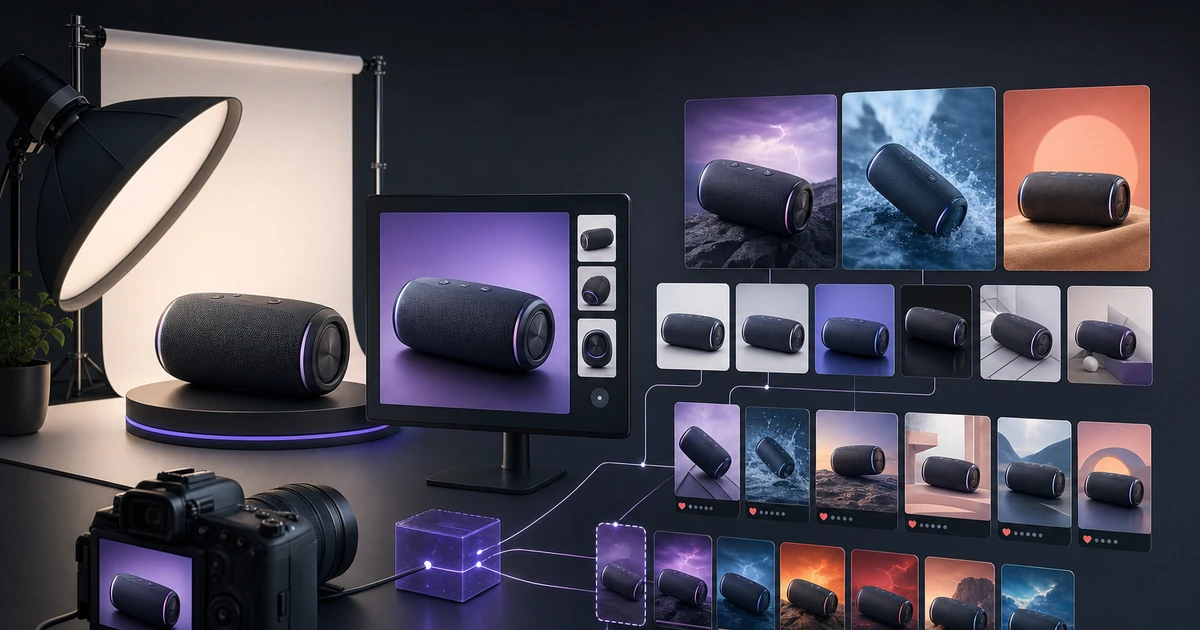
Most solo ecommerce sellers share the same constraint: the product photography needed to compete on Shopify, Etsy, and Amazon requires skills, equipment, and budget they do not have. Professional product photographers charge $150–500+ per session. Stock photography does not work for unique products. DIY photography without training produces inconsistent, unprofessional results.
AI generation changes the economics entirely. With a smartphone, a window, and a white surface, any seller can produce listing-ready images that compete with professional photography.
What You Actually Need
The minimum requirements for AI-assisted product photography:
Hardware you already have:
- Smartphone (any model from the last 4 years)
- A window (north-facing for consistent diffuse light; east/west for morning/afternoon directional light)
- A white surface (foam board, poster board, or white paper)
Optional improvements (under $30 total):
- Second piece of foam board as a reflector (bounces light back onto shadow side)
- Small bottle of isopropyl alcohol (cleans products before shooting — fingerprints and dust photograph poorly)
- Blu-Tack or poster putty (stabilizes small products without stands)
Not needed:
- DSLR camera
- Backdrop stand and seamless paper
- Ring light
- Professional photography skills
- Lightroom or Photoshop
The Home Photography Capture Workflow
Setting up the shot
Place your white surface near the window, perpendicular to the light source. The product goes on the white surface. Hold or position a second white surface (foam board) on the shadow side of the product to bounce light back and reduce harsh shadows.
Take 3–5 shots from slightly different angles: front, 45-degree, side, top-down if relevant, and a detail closeup. Enable grid lines on your camera and keep the product level in the frame.
The goal is not perfection — it is a clean, well-lit reference image that gives the AI model accurate product geometry, color, and texture.
What makes a good AI input photo
AI generation is most reliable when the input has:
- Clear product edges: The boundary between product and background should be distinct. If your product is white and your background is white, add a contrasting prop (dark surface) for the reference shot only.
- Accurate color: Photograph in neutral light if possible. Incandescent bulbs shift color warm; avoid them for reference shots.
- Product fills 40–70% of the frame: Too close crops out important shape context; too far makes small details ambiguous.
- No harsh shadows across the product face: Shadows obscure details the AI model needs to reconstruct.
The AI Generation Workflow
Once you have 3–5 reference photos, the generation workflow:
Step 1: Upload reference photo to Clyero
Select the best reference shot — typically the front-facing 45-degree angle that shows the product's primary visual character.
Step 2: Generate white-background main image
This is the first generation task: render the product on a pure white background with studio-quality lighting. Review for color accuracy and clean edges. This is your listing main image.
Step 3: Generate lifestyle variants
With the clean product base, specify 3–4 lifestyle scenes appropriate for your product category. Define the environments specifically (not just "kitchen counter" but "light marble kitchen counter, morning light, minimal props").
Step 4: Generate format crops
Once you have 2–3 approved lifestyle images, generate the platform-specific crops: 1:1 for Amazon and Instagram, 4:5 for Instagram feed, 2:3 for Etsy and Pinterest, 9:16 for Stories.
Step 5: Review and publish
Total production time from reference photo capture to platform-ready assets: 60–90 minutes.
Quality Expectations
Solo seller AI photography produces images that are:
- Better than: Most DIY photography, smartphone photos published directly
- Comparable to: Mid-range professional product photography for standard product categories
- Not as good as: High-end studio photography for complex products (transparent glass, highly reflective chrome, intricate jewelry)
For the vast majority of ecommerce products sold on Shopify, Etsy, and Amazon, AI-assisted photography is sufficient to be competitive.
Common Solo Seller Mistakes
Photographing on colored surfaces: Always use white or neutral backgrounds for reference shots. Colored backgrounds tint the product and confuse the AI model's color rendering.
Publishing the reference photo directly: The reference photo is an input, not an output. It is meant to be fed into AI generation — never publish an unprocessed reference photo on a product listing.
Generating without reviewing color accuracy: AI-generated product images can shift colors by 5–20% in hue and saturation. Always compare the generated image against the physical product before publishing.
Using one image per listing: Even on tight timelines, produce a minimum of 3 listing images: main, secondary angle, and lifestyle. Single-image listings perform significantly worse than multi-image listings on every platform.
Related Clyero workflows
Continue with practical workflows for product visuals, video, ad creative, and marketplace content.
Frequently Asked Questions
Can I use a smartphone photo as the input for AI product generation?
What is the minimum equipment needed for a home product photography setup?
How do I get clean background removal for home product photos?
Try it free
Build your first AI content pipeline
Turn one product photo into a full content system — images, videos, captions, and posts — in minutes.
Start for freeClyero Team
Product & Growth
Writing about AI content creation, e-commerce automation, and the future of brand storytelling at Clyero.
Related Articles
Shopify, Etsy, and Amazon: Creative Requirements Compared
Shopify, Etsy, and Amazon have fundamentally different visual cultures, creative specifications, and buyer behavior patterns. Content that converts on one platform often underperforms on another. Understanding the specific requirements of each marketplace is the foundation of an efficient AI creative strategy.
March 28, 2026
Shopify, Etsy, and Amazon: Creative Requirements Compared
Shopify, Etsy, and Amazon have fundamentally different visual cultures, creative specifications, and buyer behavior patterns. Content that converts on one platform often underperforms on another. Understanding the specific requirements of each marketplace is the foundation of an efficient AI creative strategy.
March 28, 2026
AI Lifestyle Product Photography: How to Place Products in Real-World Scenes
Lifestyle product photography — showing your product in realistic, aspirational use contexts — drives higher conversion than isolated product shots on nearly every platform. AI generation can produce convincing lifestyle imagery without location scouting, props, or professional photographers.
February 14, 2026